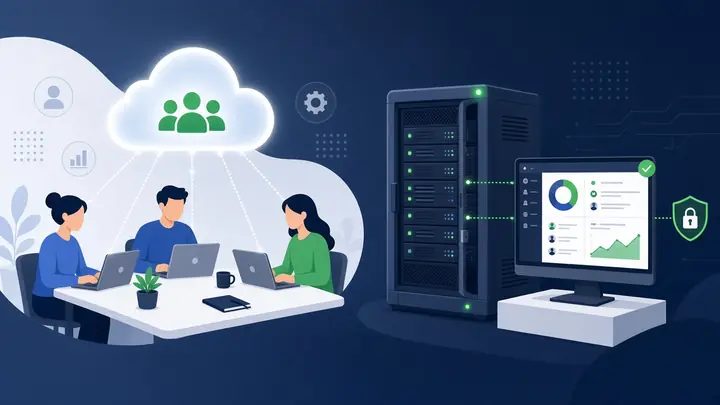

The best CRM for a small business in 2026 is SuiteCRM, on a server you control, if a 5–20 person team is done paying per seat. Cloud CRM (Salesforce, HubSpot, Zoho) is still the right call when nobody will look after that server.
| Choice | Fits when |
|---|---|
| SuiteCRM, self-hosted | You want the database, unlimited users in the software license, and a one-time setup |
| Salesforce, HubSpot, or Zoho | You want the vendor to run it and the monthly seat bill is acceptable |
| Spreadsheets | One person still owns every lead. That breaks as soon as two people follow up |
The direct comparison is SuiteCRM vs Salesforce for a 10-person team. EU data residency is covered on self-hosted CRM for an EU team.
If leads live in spreadsheets, DMs and three inboxes, a CRM software for small business is the next step — not another ad campaign. This guide covers what a small-team CRM must do, when SuiteCRM on your server beats HubSpot or Salesforce seats, and how to choose without a feature bake-off.
Spreadsheet chaos vs CRM clarity
| Spreadsheet / inbox chaos | Small business CRM |
|---|---|
| Leads scattered across tools | Single pipeline for every source |
| No shared view of customer history | 360-degree contact timeline |
| Follow-ups depend on memory | Automated reminders and tasks |
| Forecasting is guesswork | Stage-based reporting and conversion metrics |
| Scaling adds confusion | Scaling adds structure |
What a CRM does for a small team
A CRM helps you manage relationships and interactions with potential and existing customers. A crm system for small business centralizes customer data, tracks sales opportunities, manages marketing campaigns, and analyzes performance—all in one place.
For a growing company, the benefits are immense:
- Centralized Data: Keep contact information, interaction history, and notes organized and accessible.
- Improved Sales Process: Visualize your pipeline, identify bottlenecks, and forecast revenue.
- Enhanced Customer Service: Provide personalized support with full customer context.
- Efficient Automation: Automate follow-up emails and task reminders so your team focuses on selling.
Not sure you’re there yet? Read 5 signs you need a CRM now.
Features that matter in a small-business CRM
When you start your search, focus on features that deliver value. The best crm software for small business should include:
- Contact Management: A clear database of contacts, leads, and customers.
- Sales Pipeline Visualization: Track deals from lead to close.
- Automation: Emails, task reminders, and workflows.
- Reporting and Analytics: Insights into performance and conversion.
- Integrations: Connect email, calendar, ads, and accounting tools.
Example: fragmented leads to automated intake
For a clinic struggling with leads from Google and Instagram scattered across messages and spreadsheets, the breakthrough was not "more ads"—it was structured data flow into a CRM with automated follow-up for staff.
When incoming leads populated the CRM automatically, the team stopped copy-pasting and started converting. That is what the right crm for small business enables: process, not just storage. See Mahnega Clinic lead automation.
CRM Selection Checklist
- Does it support your lead sources (web forms, ads, email, events)?
- Can your team adopt it in two weeks without a full-time admin?
- Are pipeline stages customizable to your sales motion?
- Does pricing scale predictably as contacts and users grow?
- Are integrations available for tools you already use?
- Have you defined goals before comparing vendors?
Seat-based CRM vs a CRM you own
Most 2026 roundups send small teams to HubSpot or Salesforce. Those products work. The problem is the bill: every extra sales seat, contact tier, and marketing add-on is another monthly line. I implement SuiteCRM on your private server as part of a one-time stack (email, marketing, files, n8n). Unlimited users. Your data stays on your box.
Run the numbers on the SaaS cost calculator before you sign another annual HubSpot quote. If you need a custom Telegram or n8n bot instead of the full stack, that is a separate project — see the voice-to-PowerPoint bot.
Options when you are not ready to self-host
Cloud CRMs still make sense for teams that want a vendor to run the app. Use a free crm for small business only to prove the pipeline; watch user and contact caps. Salesforce packages fit complex growth, not a five-person shop. Geography matters for support hours, not as a reason to ignore ownership of the data.
How to choose the right CRM
- Define Your Goals: More leads, retention, or team efficiency?
- Assess Your Budget: Include free and paid options.
- List Must-Have Features: Non-negotiables only.
- Read Reviews: Compare businesses like yours.
- Take a Test Drive: Run a real workflow in trial, not a demo script.
Frequently Asked Questions
What is the best CRM for small business in 2026?
If you want to stop paying per seat, SuiteCRM on your own server is the fit I implement — often next to Mailcow, Mautic, Nextcloud and n8n. Cloud CRMs remain fine when you prefer a vendor to host. There is no universal winner; there is a cost model.
Is free CRM software enough to start?
Often yes for solo founders or small teams. Upgrade when automation, reporting, or user limits block growth.
How long does CRM implementation take?
Basic pipeline setup can take days; clean data migration and automation take weeks. Plan for adoption, not only installation.
SuiteCRM or HubSpot for a 10-person team?
HubSpot is faster to start and bills per seat. SuiteCRM is free software on a server you control, with more setup. Compare seats on the SaaS cost calculator, then read SuiteCRM vs Salesforce for a 10-person team.
Can an EU team host SuiteCRM in the EU?
Yes. You choose the server region. See self-hosted CRM for an EU team for SuiteCRM on infrastructure you pick, including an EU region.
Final takeaway
Choosing the best crm for small business is a cost and ownership decision, not a feature bake-off. Centralize data, automate follow-up, and decide whether you will rent seats or host SuiteCRM. Compare the annual bill on the SaaS cost calculator. If self-hosted wins, see EU self-hosted CRM packages (starting from, excl. BTW) or get in touch to scope the install. If the problem is no longer just the pipeline — if stock, purchasing and invoices also live in separate sheets — you may need a first ERP rather than a bigger CRM.
References

Systems & Automation Specialist
Alec Asgari is a systems and automation specialist with experience in CRM implementation, workflow automation, and cross-functional process design. He writes about organizational strategy, technology, and operational execution.